What n8n is
n8n is a workflow automation platform. You build workflows visually by connecting nodes: a trigger starts the workflow, and each subsequent node performs a step — fetching data, transforming it, calling an API or sending a message. It can be self-hosted or used as a cloud service.
Triggers, nodes and data
- Triggers start a workflow: a webhook, a schedule, a new email or a new row in a database.
- Nodes perform actions in apps such as CRMs, spreadsheets, messaging tools and databases.
- Data flows between nodes as structured items you can filter, merge and transform.
- Code nodes allow custom JavaScript or Python when built-in nodes aren't enough.
Adding AI to workflows
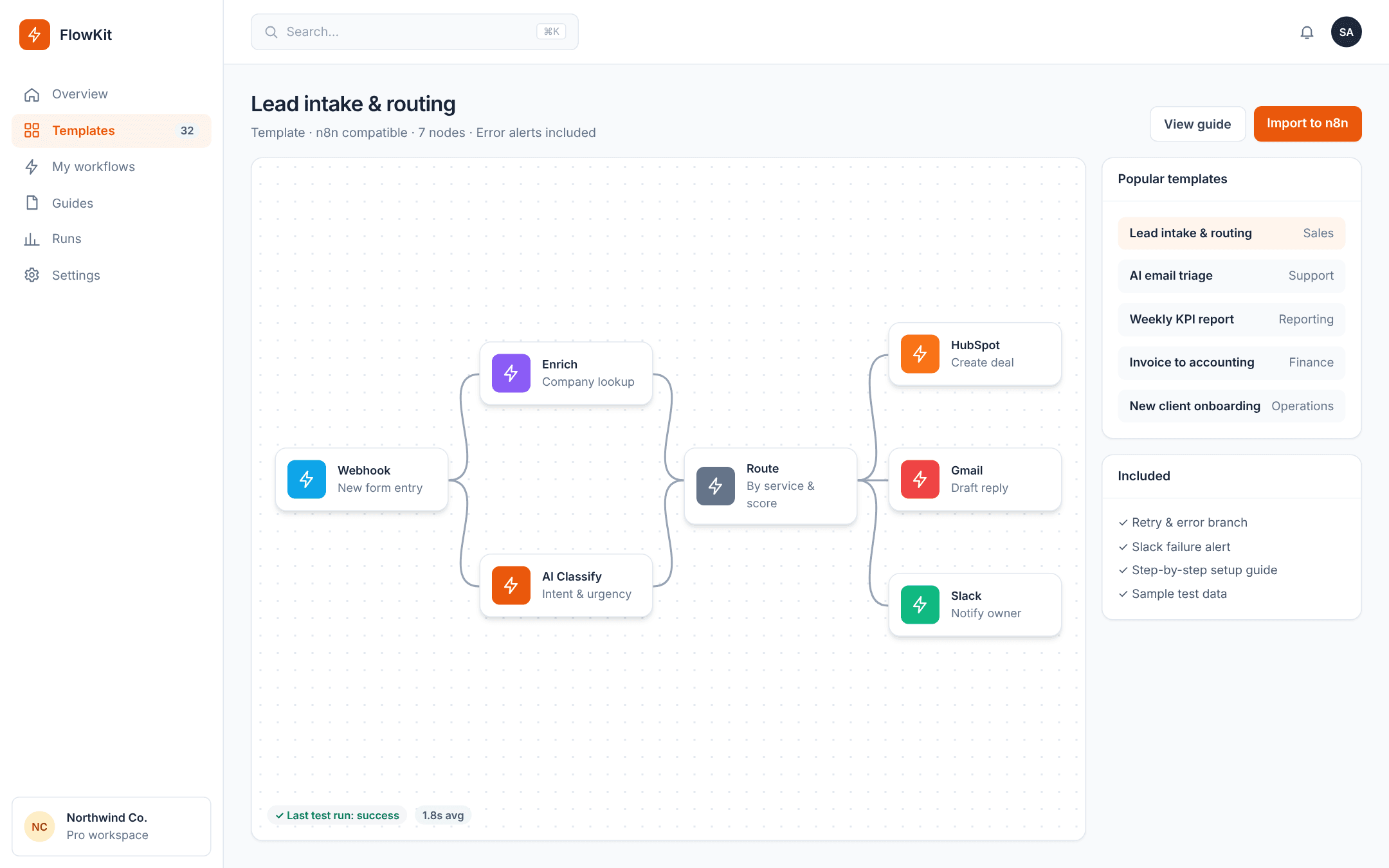
n8n includes AI nodes that can classify text, extract fields, summarise content or run agent-style steps. A typical pattern: a new enquiry arrives, an AI step classifies intent and urgency, rules route it to the right owner, and a draft reply is prepared for review.
Why teams choose n8n
Self-hosting gives control over data and predictable costs at volume. The ability to mix visual nodes with code makes it flexible for complex processes. For very simple automations, lighter tools may be quicker to set up — the right choice depends on volume, complexity and data requirements.
Building workflows that last
Name nodes clearly, handle errors explicitly, add alerts for failures and document what each workflow does and who owns it. Maintainable workflows are what separate a reliable automation from a fragile one.
A worked example: automated lead intake
- Trigger: a webhook receives a new website enquiry.
- Enrich: an HTTP node looks up the company's website and size.
- Classify: an AI node labels the enquiry by service interest and urgency.
- Route: an IF/Switch node assigns the lead to the right owner.
- Record: a CRM node creates or updates the contact and deal.
- Notify: a messaging node alerts the owner with a summary and suggested reply.
n8n compared with other automation tools
Hosted tools such as Zapier and Make are excellent for quick, simple automations and have very large app libraries. n8n stands out when workflows become complex, when you need custom code, when data must stay on your own infrastructure, or when per-task pricing becomes expensive at high volume.
Many organisations use more than one tool. The right choice depends on volume, complexity, security requirements and who will maintain the workflows.
Self-hosting considerations
- Run n8n on a reliable server or container platform with automatic restarts.
- Use a production database rather than the default lightweight storage.
- Back up workflows and credentials regularly.
- Keep n8n updated and restrict access to the editor.
- Set up monitoring and failure alerts from day one.
Frequently asked questions
Is n8n free?
n8n offers a self-hosted community edition and paid cloud and enterprise plans. Check the current licence terms for your use case.
Do I need to code to use n8n?
Many workflows need no code, but the option to add JavaScript or Python is one of n8n's strengths for complex logic.
Can n8n run AI agents?
Yes, n8n includes AI and agent nodes that can call models and tools within a workflow.